 Image: themacpost.com
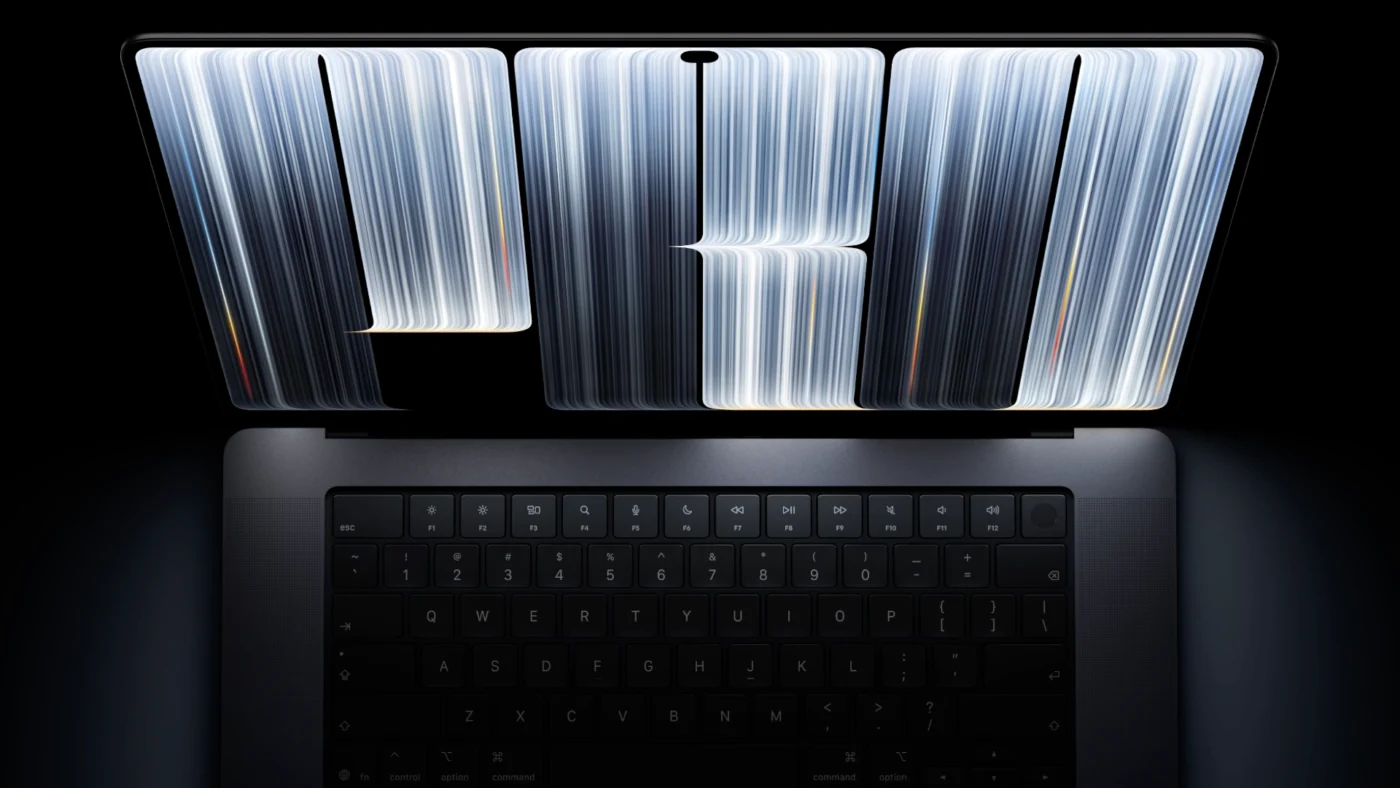
Apple spent more than a decade insisting a touchscreen did not belong on a Mac. On October 28, 2026, that position ended in Los Angeles. At its “Pro and tell” event, new CEO John Ternus unveiled the MacBook Pro with PROLED XDR Display — the first Mac with a touchscreen and the first MacBook with an OLED panel. Pre-orders opened the same day in 30 countries and regions. The machines start shipping and landing in stores on Friday, November 6.
The laptop is not a full redesign of the MacBook Pro line so much as a new flagship sitting above the existing Liquid Retina XDR models. It keeps the M5 Pro and M5 Max chips Apple introduced earlier this year, then rebuilds the screen, the lid, the hinge, and a slice of macOS around them. Chief hardware officer Johny Srouji called PROLED XDR “the world’s best laptop display.” Early hands-on reports from the event floor largely agree on the panel, even as buyers debate whether a $400 premium is worth it when the silicon underneath is unchanged.
What PROLED XDR Actually Is
PROLED XDR is Apple’s name for a tandem OLED panel: two self-illuminating emitter layers stacked in one display, with a custom display engine controlling color and luminance at the sub-millisecond level. Apple first used tandem OLED on the 2024 iPad Pro. The MacBook version is a ground-up revision of that stack, aimed at higher brightness and tighter uniformity.
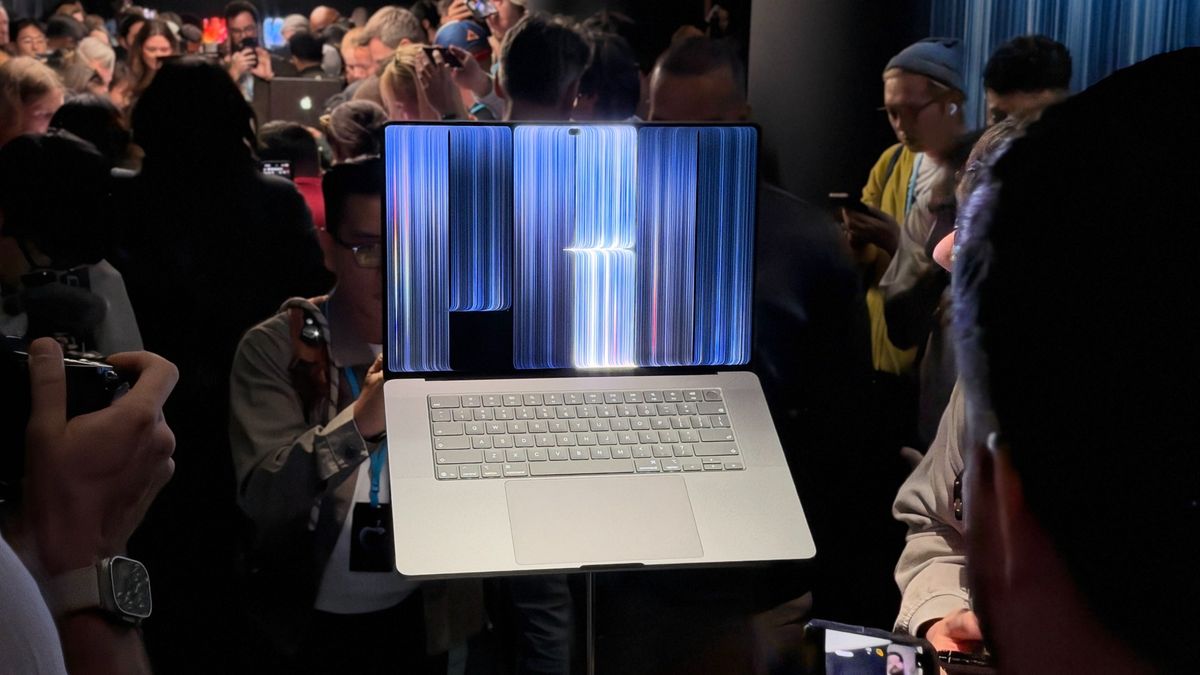 Image: techradar.com
The numbers Apple is publishing are aggressive for a laptop. Peak brightness hits 2,000 nits for both HDR and SDR content, with up to 1,000 nits sustained full-screen and a minimum of 1 nit. Contrast is rated at 10,000,000:1, ten times the Liquid Retina XDR mini-LED panel it sits beside in the lineup. ProMotion runs from 10Hz to 120Hz, with fixed rates including 24p-friendly 47.95Hz and 48Hz for video work.
Color coverage is the other professional hook. The panel covers both P3 and Adobe RGB in a single default preset, with notably wider green and cyan ranges and more than 80 percent of Rec. 2020. Apple’s technical paper lists 254 pixels per inch on both sizes: 3,024 by 1,986 on the 14.2-inch model and 3,472 by 2,266 on the 16.3-inch model. Typical reflectance is 1.00 percent. An optional nano-texture glass, now etched into the cover glass rather than applied as a film, further cuts glare. In the U.S., that option adds $150.
Reference modes go beyond the usual cinema and photography presets. Apple includes DICOM medical-imaging modes at 350 and 600 nits, explicitly limited to non-diagnostic review, research, and education. Genlock support — synchronizing the panel’s refresh with an external camera — is available both on the display and through the Thunderbolt 5 ports, which matters for virtual production and LED-volume stages. Samsung Display is the exclusive panel supplier, building the screens on its new 8.6-generation fine-metal-mask OLED line.
Touch Finally Comes to the Mac
Steve Jobs once called a touchscreen Mac “ergonomically terrible.” Tim Cook’s Apple repeated variations of that argument for years, even after the short-lived Touch Bar showed the company was willing to experiment with finger input on the keyboard deck. Ternus’s framing is narrower: the Mac remains a keyboard-and-trackpad machine, and touch is an extra when it is comfortable.
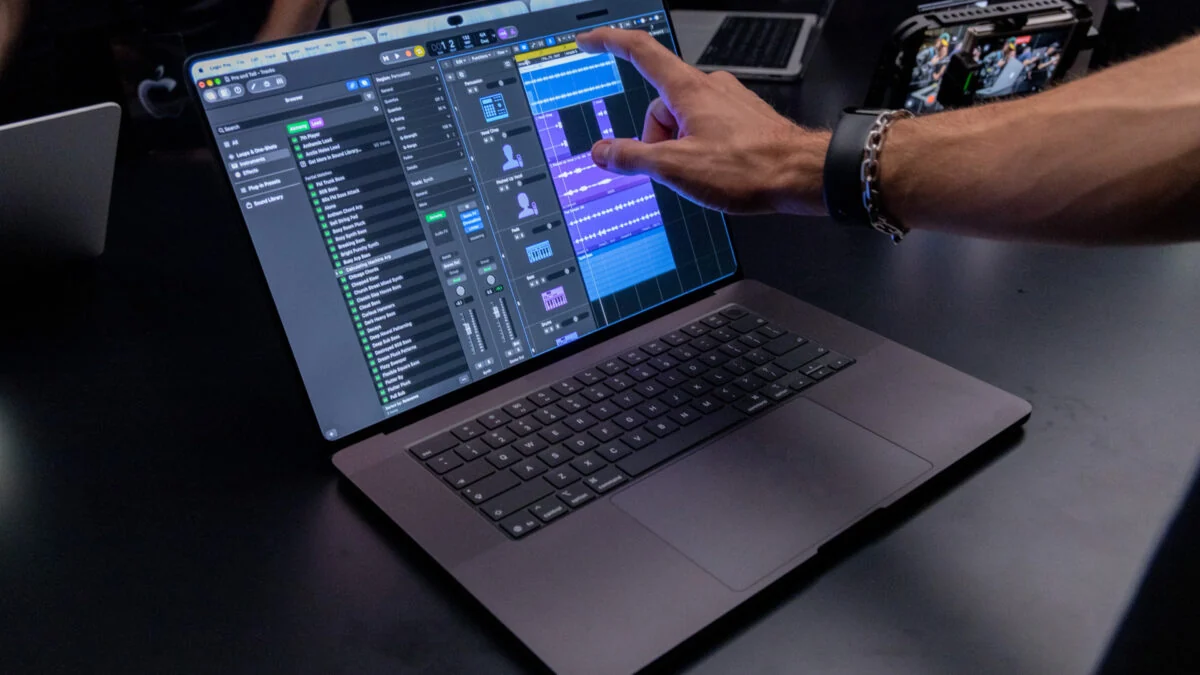 Image: gizmodo.com
The implementation is meant to make that claim believable. The touch sensor is built into the OLED pixel layer — on-cell integration — rather than bonded as a separate film on top. Apple says that cuts latency so interaction feels closer to touching the content itself, though it has not published a millisecond figure. macOS 27 translates touches into clicks, so many existing apps respond without an update. Updated system gesture APIs let developers build touch-specific behavior on top of that baseline.
Everyday gestures are the ones Windows laptop owners already know: swipe to scroll, pinch to zoom, double-tap a window to fill the screen, flick to tile it. Apple’s stage demos leaned harder into pro workflows — drawing across the full display instead of the trackpad area, playing software instruments in Logic-style apps, and testing iOS and iPadOS touch targets on the Mac screen itself. Apps Apple named as ready or coming include Adobe Lightroom, DaVinci Resolve, Blender, Cinema 4D, ZBrush, Shapr3D, Notion, Canva, Microsoft 365, Zoom, and djay Pro.
A redesigned hinge is the unglamorous piece that makes the rest usable. Hands-on writers at the Los Angeles event reported little to no lid wobble when tapping the glass, which has been the practical failure mode of many Windows touch laptops. Advanced video stabilization also smooths the Center Stage camera feed in real time if you touch the screen during a call. Touch does not replace the Force Touch trackpad or the Magic Keyboard with Touch ID. It sits beside them.
A Lighter Body, the Same Pro Chips, and a Dynamic Island
Dropping the mini-LED backlight stack is what makes the chassis shrink. The 14-inch model weighs 3.0 pounds with M5 Pro and 3.1 pounds with M5 Max, half a pound under the current mini-LED 14-inch. The 16-inch drops 0.7 pounds to 4.0 pounds (4.1 with M5 Max). Thickness falls by about half a millimeter on the 14-inch and nearly a millimeter on the 16-inch. Slimmer borders grow the larger screen from 16.2 to 16.3 inches. The glowing Apple logo returns to the lid, a detail Apple retired with the 2016 redesign.
Inside, performance is familiar on purpose. These machines use M5 Pro and M5 Max, not the M6 chip that arrived the day before in a standard 14-inch MacBook Pro starting at $1,999. Unified memory still scales to 128GB on M5 Max. Storage now tops out at 16TB, double the previous laptop ceiling. A redesigned thermal system is meant to hold the same sustained performance in the lighter body while steering warm air away from the display. The six-speaker system is tuned for 50 percent deeper bass. Battery ratings match the mini-LED siblings: up to 24 hours of video streaming on the 16-inch M5 Pro, 22 hours on the 16-inch M5 Max, 22 and 20 hours on the two 14-inch chips. Fast charge still reaches about 50 percent in 30 minutes with a sufficiently powerful adapter.
Ports are deliberately unchanged: three Thunderbolt 5 ports (up to 120Gb/s), HDMI, an SDXC card slot, MagSafe 3, and a headphone jack. M5 Pro drives up to three external displays; M5 Max drives up to four. Wireless is Wi-Fi 7 and Bluetooth 6 via Apple’s N1 chip. The camera remains a 12MP Center Stage unit with Desk View.
The software surface is where the machine looks newest. The notch is gone. A Dynamic Island, familiar from iPhone, now houses Spotlight, Live Activities, and Siri AI on macOS 27. You can search the Mac, take a call, control music, or accept an AirDrop from that island, including with a finger. Colors are silver and space black.
Price, Early Impressions, and Who This Is For
U.S. pricing starts at $2,899 for the 14-inch M5 Pro and $3,399 for the 16-inch M5 Pro. M5 Max configurations start at $4,499 and $4,799. That is a $400 step up from the comparable Liquid Retina XDR MacBook Pros that remain on sale. Education pricing trims the four bases to $2,749, $3,199, $4,199, and $4,499. Configured M5 Max machines with maximum memory and 16TB of storage will land far above those floors. TrendForce expects the new model to ship roughly 1.2 to 1.5 million units in 2027 and sees Apple’s entry helping push OLED notebook shipments up more than 40 percent year over year that year, after a similar jump in 2026.
Hands-on coverage from Tom’s Guide, PCMag, and photographers at the Hollywood event converged on a few points. The panel is startlingly bright — bright enough that some crews had to stop down cameras filming it — with inky blacks and strong off-axis color. Touch felt as immediate as an iPad in short sessions. The weight drop is obvious in the hand. What those sessions cannot yet answer is long-term OLED behavior: burn-in risk on static pro UI, sustained outdoor SDR brightness versus the spec sheet, and whether the display engine’s pixel-aging compensation holds up after a year of toolbars and timelines. Apple argues tandem drive current and per-pixel compensation specifically to address those classic OLED limits. Independent lab measurements will matter more than the keynote once units are in reviewers’ hands after November 6.
A few practical filters help before you pre-order:
- Buy this if the screen is the product. Colorists, photographers who print, and anyone who has been carrying a separate reference monitor will feel the Adobe RGB modes, 2,000-nit peaks, and 10,000,000:1 contrast immediately. Genlock and DICOM modes are niche, but they are real if your work uses them.
- Skip the premium if you just bought an M5 Pro or M5 Max mini-LED model for CPU and GPU speed. Silicon, ports, and rated battery life are effectively the same. You are paying for the panel, touch, weight, Dynamic Island, higher storage ceiling, and the logo.
- Treat touch as a bonus, not the reason. It is well implemented in early demos, and the stiffer hinge matters, but all-day editing still belongs on the keyboard and trackpad. If you want a touch-first Apple computer, an iPad Pro remains the better fit.
- Add nano-texture if you grade or design near windows or outdoors. Skip it if you mostly work in controlled light and want maximum clarity on fine text.
- Match the chip to memory and GPU needs the same way you would on the current Pro. M5 Max is the path to 128GB and the top GPU configs; M5 Pro is enough for a large share of photo, code, and moderate video work.
A Line Apple Said It Would Not Cross
The MacBook Pro with PROLED XDR Display is the clearest sign yet of how Apple is willing to revise old doctrine under Ternus. The company did not turn the Mac into an iPad. It kept the ports, the keyboard, the trackpad, and the pro chips, then used a thinner OLED stack to add touch without the weight penalty that used to make the idea a nonstarter. Whether PROLED XDR earns the “world’s best laptop display” line will be settled by measurements, not marketing. What is already settled is the product strategy: OLED and touch start at the top of the MacBook Pro range, at a price only working professionals are likely to shrug at, with a November 6 ship date that puts the machines on desks before the holiday rush.
For everyone else, the more interesting question is what comes next. Apple still sells the mini-LED M5 Pro and M5 Max machines, and an M6 MacBook Air is widely expected in early 2027. If tandem OLED holds up in the field, PROLED XDR will look less like a one-off luxury panel and more like the start of the Mac’s long exit from LCD.